Managing a Caregiver Relationship for Patient App
This topic is intended for Independent pharmacies only and is not applicable to Rexall pharmacies.
When a Caregiver is enrolled in the Patient App program, they will see an additional tab on the app to manage their Person in Care's prescriptions. Caregiver relationships are managed in the Patient Folder Relationships tab in Propel Rx.
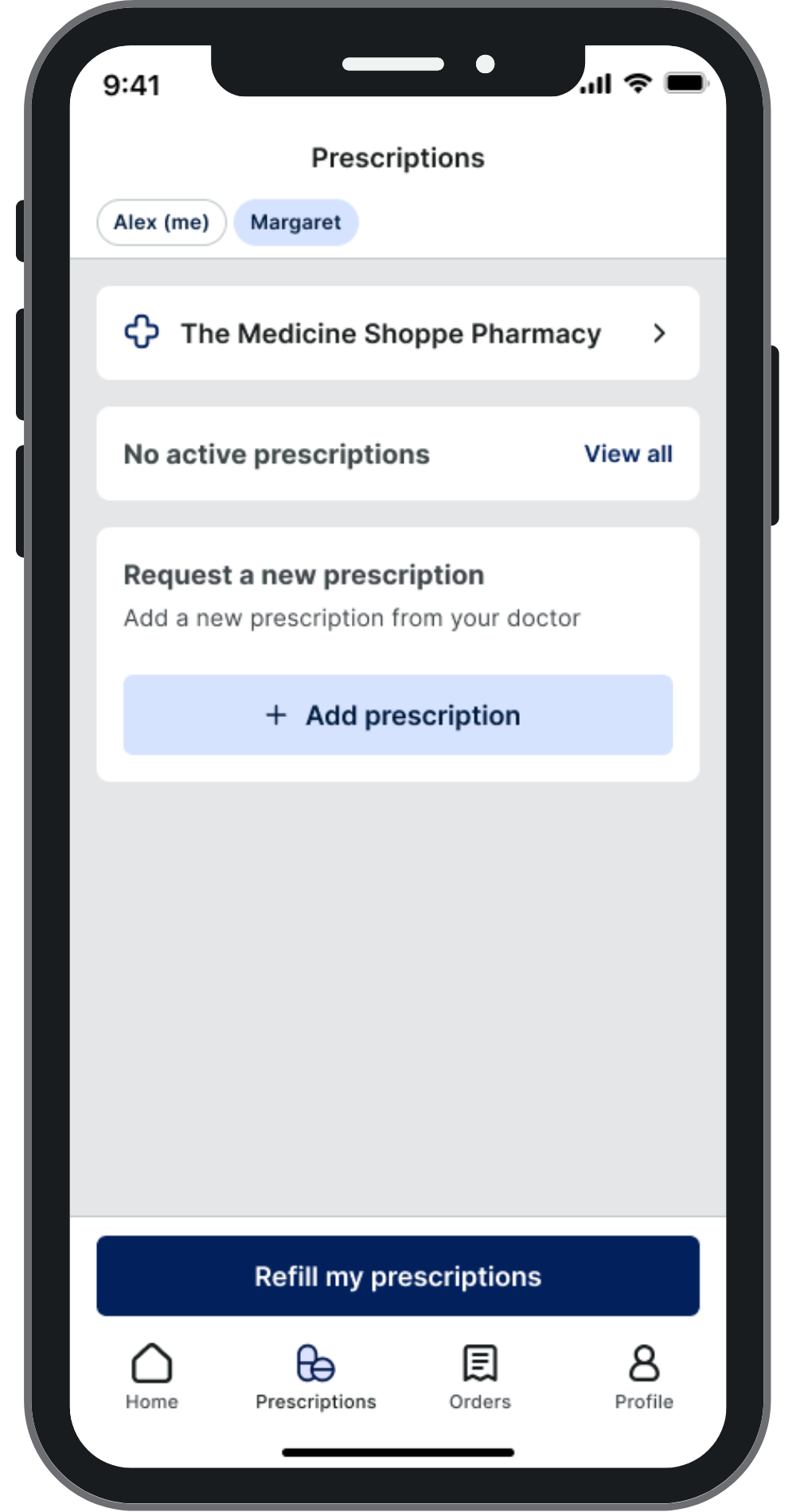
For more information about managing relationships, select the dropdowns below.
 Adding a New Caregiver Relationship
Relationships can only be added from the Person in Care's Relationships tab.
There is a limit to the number of relationships linked to a Patient Folder:
-
A Person in Care can only have 3 active Caregivers.
-
A Caregiver can have an unlimited number of Persons in Care.
To add a new Caregiver relationship to a Person in Care's profile:
-
Open the Person in Care's Patient Folder.
-
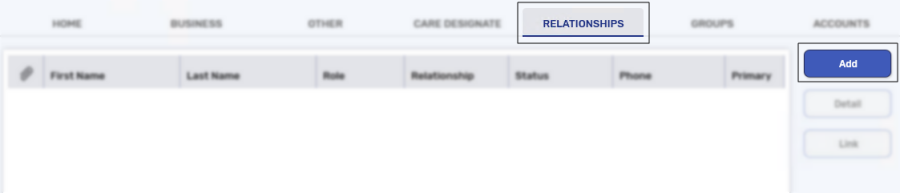
On the Main tab, select the Relationships sub-tab and then select Add.
-
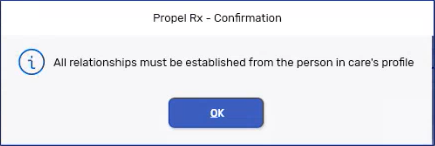
A prompt appears to remind you that a relationship must be added from the Person in Care's profile. Select OK.
-
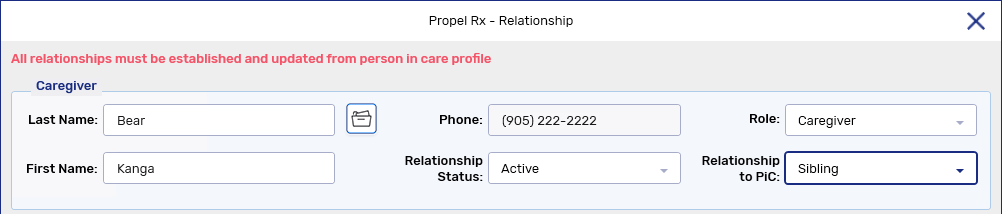
In the Last Name field, enter the last name of the Caregiver.
-
Select the folder button
 to search for and select the patient that is the Caregiver.
If the correct patient does not display in the results, a new Patient Folder needs to be created. For more information, see Creating a New Patient Folder.
The Patient Search window closes to the Relationship window with the Caregiver's information populated.
-
In the top section, enter the following information:
-
Role - Caregiver
-
Relationship Status - Active
-
Relationship to PiC
-
-
In the Caregiver Preferences section, confirm the following information:
-
Primary Contact checkbox - this is selected by default if this is the first Caregiver added to the Person in Care's Patient Folder. For more information, see Primary Checkbox below.
-
Communication for PiC checkbox - if this checkbox is selected, the Caregiver will receive pickup notifications for the Person in Care's prescriptions. You can deselect this checkbox if the Caregiver does not want to receive pickup notifications for the Person in Care.
If the Caregiver is not enrolled in Patient App, this checkbox will be OFF and disabled. The patient does NOT have to enrolled in the Patient App program for their Caregiver to receive pickup notifications for their prescriptions.

-
-
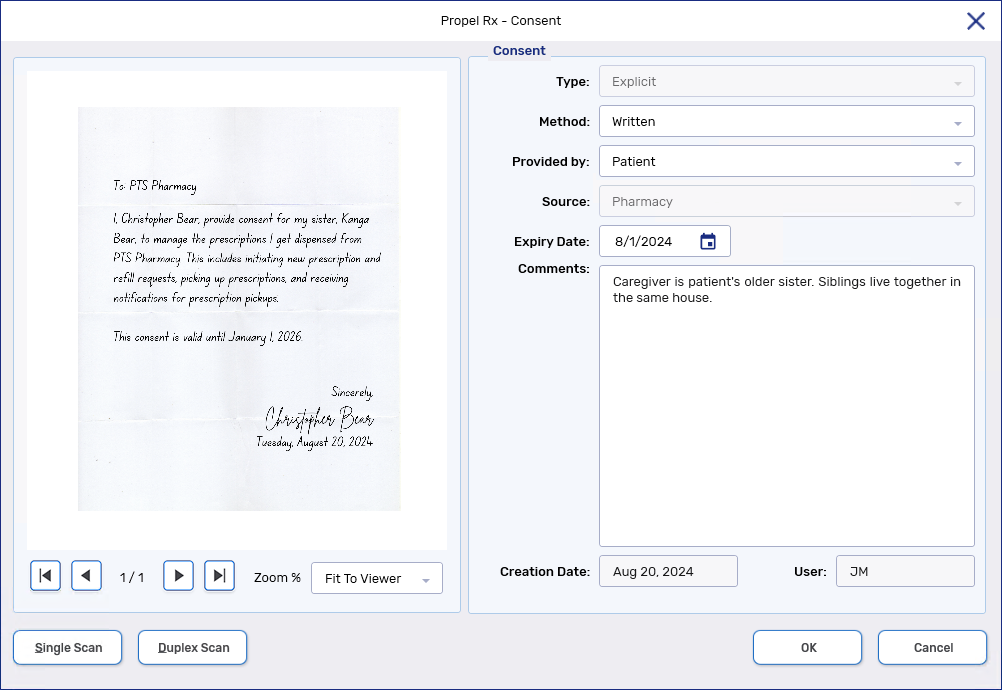
If the patient is 14 years of age or older, in the Consent section, select Add Consent.

While it is recommended to gather consent when a relationship is being created, it is not mandatory. Consent can be gathered after a relationship has been created but a Caregiver cannot manage prescriptions or receive notifications on behalf of the Person in Care until consent is provided.
If you will be gathering consent at a later time, proceed to step 11.
The Consent window opens.
-
Enter the following information:
-
Method
-
Provided by
-
Optional - Expiry Date
If the Person in Care is younger than 14 years old, consent is automatically added when OK is selected in the Relationship window. The Method is set to Implied and the Expiry Date field is automatically populated to one day prior to the Person in Care's 14th birthday. Once the Person in Care is 14 years old, consent needs to be renewed.
-
-
Select Single Scan or Duplex Scan to attach the consent form. If the Method was set to Written, a document must be scanned for the consent.
-
Select OK. The Consent window closes to the Relationship window and a new line will be added. For more information, see Consent Status below.
-
Select OK. The relationship is added to the Relationships tab.

-
Select Save.
Primary Checkbox
If the new relationship added is for the Primary Contact, the Caregiver will have the Primary checkbox selected and their relationship row will display in bold. This signifies if there is a question related to the Person in Care's prescriptions, this Caregiver should be contacted.

If a different Caregiver should be the Primary Contact, this can be changed by Editing or Detailing a Relationship.
Regardless of which Caregiver is the Primary Contact, all active Caregivers are able to manage prescriptions and receive notifications on behalf of the Person in Care.
Consent Status
Depending on if consent was provided or not, the Status field will display one of the following:
-
Active - if consent was gathered at the time of creating the relationship.
-
Pending Consent - consent was not provided at the time of creating the relationship and must be added to the relationship. The Caregiver will not be able to manage prescriptions or receive notifications on behalf of the Person in Care.

For more information, see Gathering Person in Care Consent for Patient App.
Editing or Detailing a Relationship
Relationships can be detailed from either the Caregiver's or Person in Care's Patient Folder, but can only be edited from the Person in Care's Patient Folder.
To edit or detail a relationship, select the Detail button in the Relationships tab.

The Relationship window opens with the information about the relationship. If detailing the relationship from the Person in Care's Patient Folder, the following information can be edited:
-
Role
-
Relationship Status
-
Primary Contact checkbox
-
Communication for PiC checkbox
Linking a Person in Care to a Caregiver's Patient App Account
Propel Rx will automatically send a message to the app to allow the Caregiver to manage prescriptions and receive notifications on behalf of a Person in Care when:
-
The Caregiver is enrolled in the Patient App program in their Propel Rx Patient Folder.
-
The Person in Care has provided consent for the relationship and the consent is neither pending nor expired.
-
The relationship between the Caregiver and Person in Care is active.
Unlinking a Person in Care from a Caregiver's Patient App Account
If a Person in Care no longer wants a Caregiver to manage their prescriptions, detail the relationship from the Person in Care's Patient Folder and update the Relationship Status to Inactive. Once saved, the Caregiver will no longer see the Person in Care's prescriptions on their app.